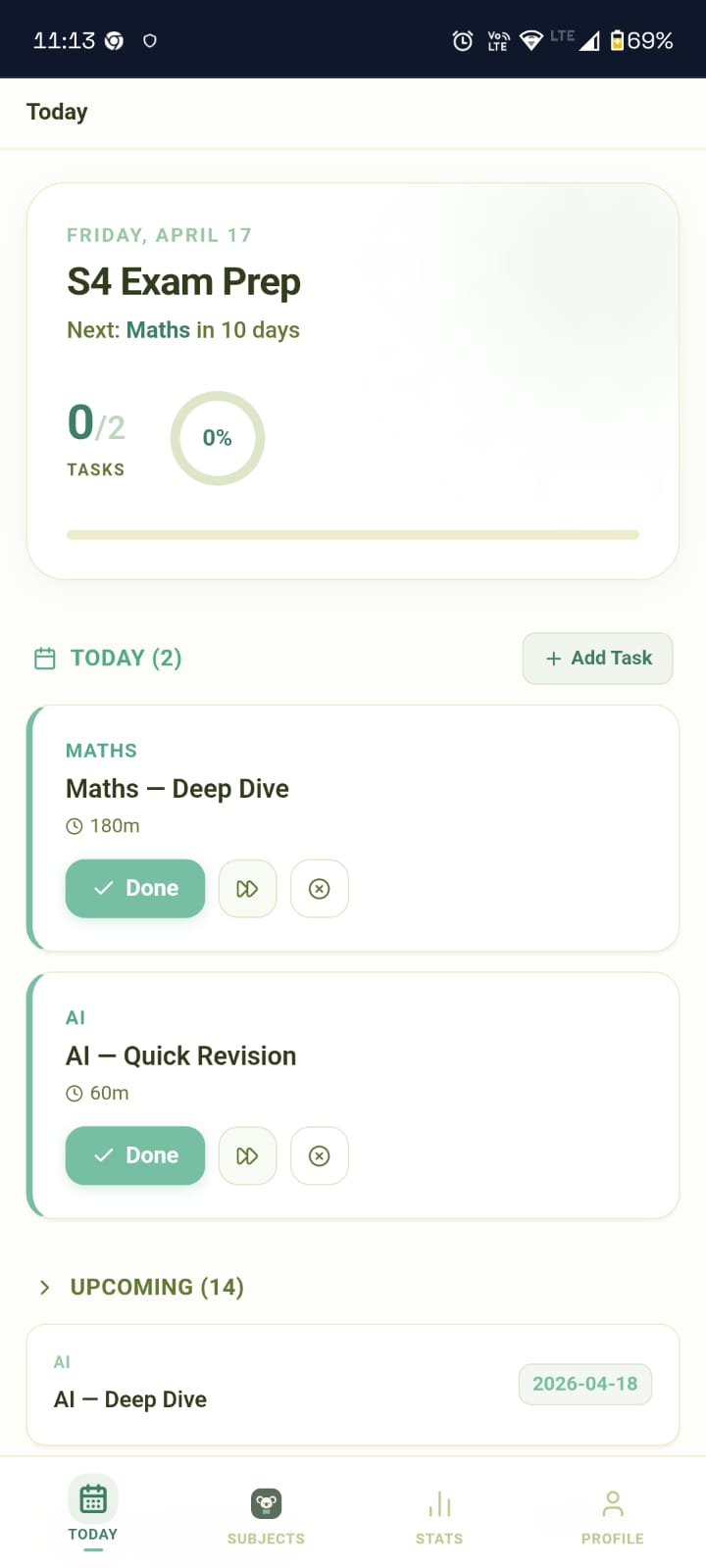
Execution Dashboard
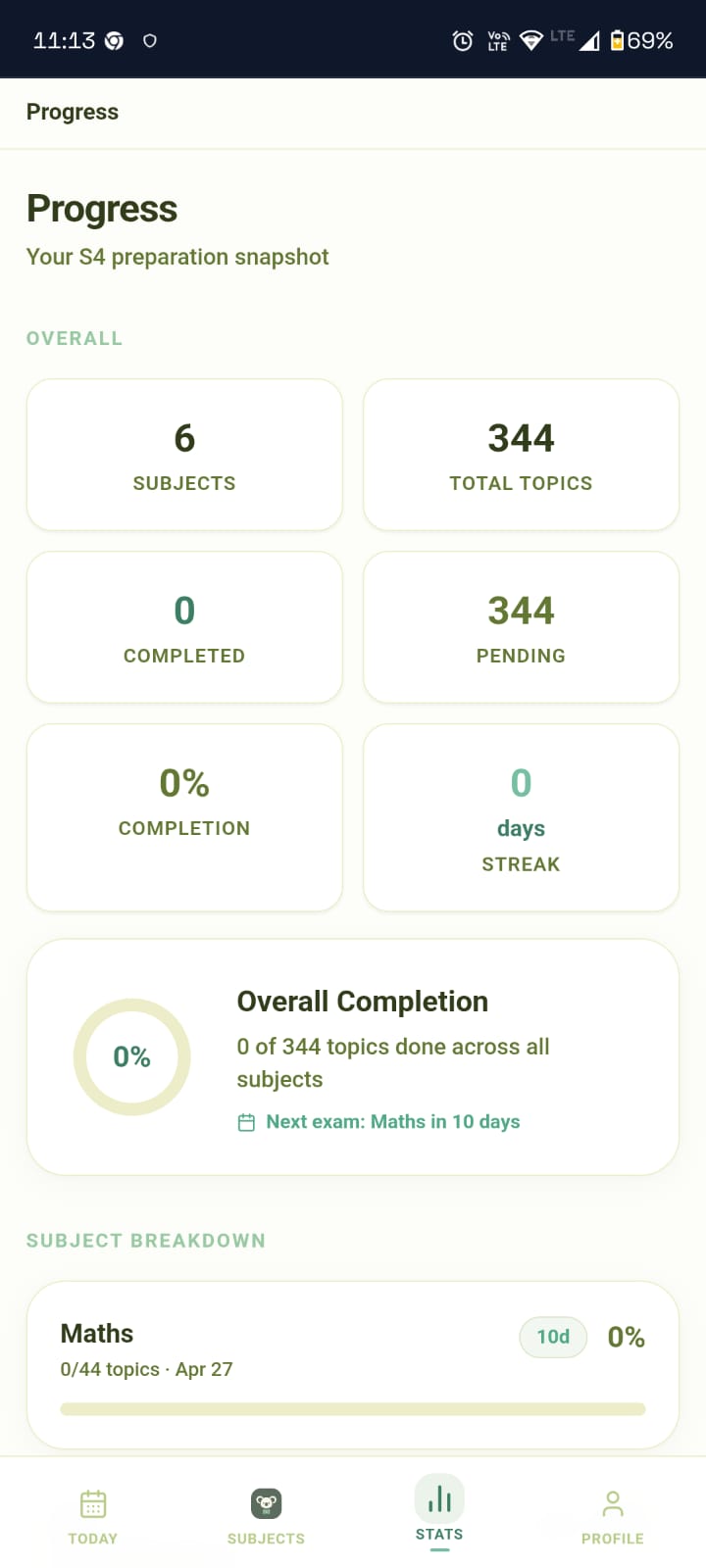
Syllabus Master Hub
Executive Summary
KōA (S4 Study Tracker) is a high-performance study execution engine. Moving away from passive tracking, it enforces a disciplined "Execution-First" workflow, ensuring students know exactly what to do at every moment of their revision cycle. It serves as an uncompromising, accountability-driven study companion.
Design System: Claymorphism
The application uses a custom Claymorphism design system to provide a tactile, premium, and engaging user experience.
Visual Tokens
- Surface: Anthracite Dark (
#030712) withbackdrop-blur-xlglassmorphism. - Puffy Depth: Multi-layered shadow system (inset highlights + deep outer drops) to simulate tactile clay physics.
- Color Palette:
- ●
Cyan: Focus & Primary UI. - ●
Indigo: Peak Performance blocks. - ●
Emerald: Mastery & Success states. - ●
Red: High-Priority Strategic Alerts.
- ●
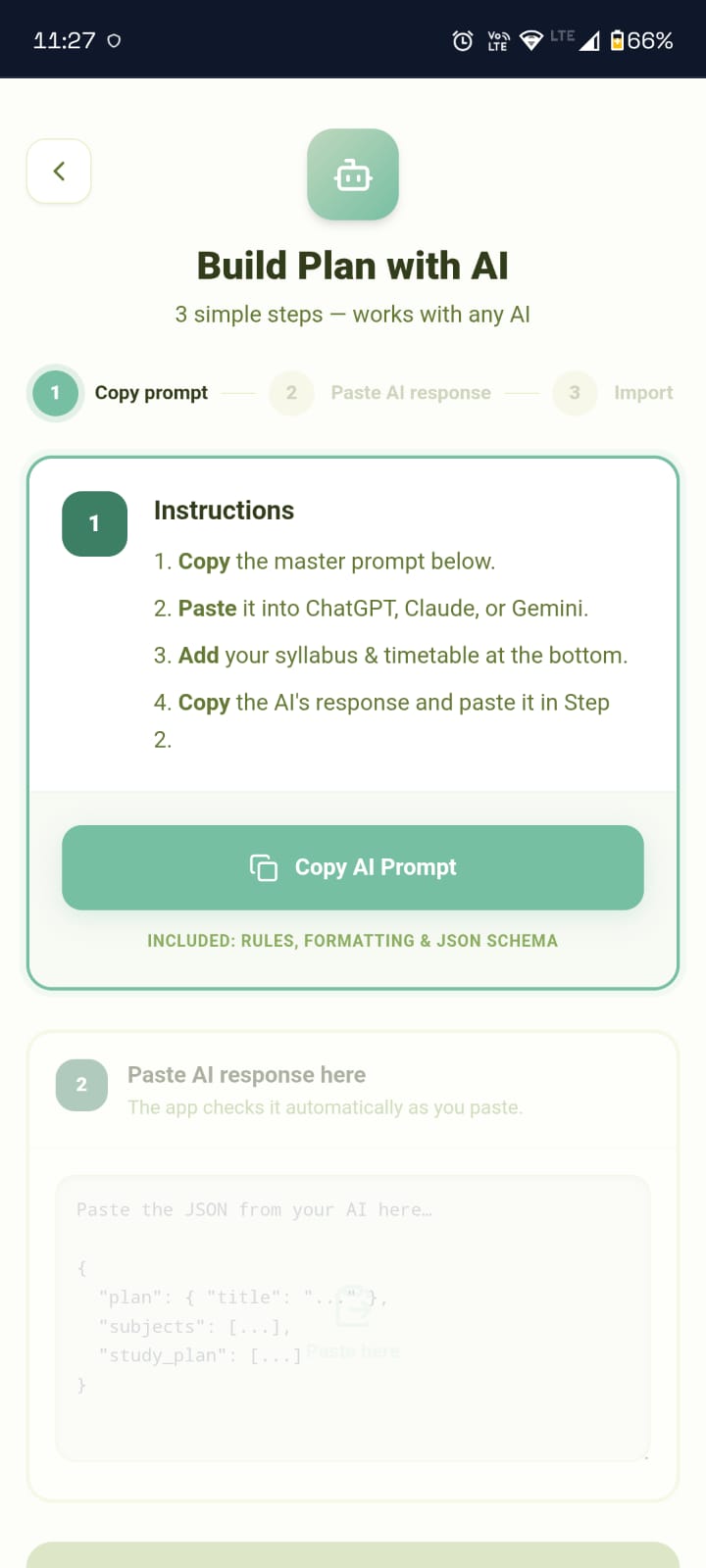
AI-Driven Study Assistance
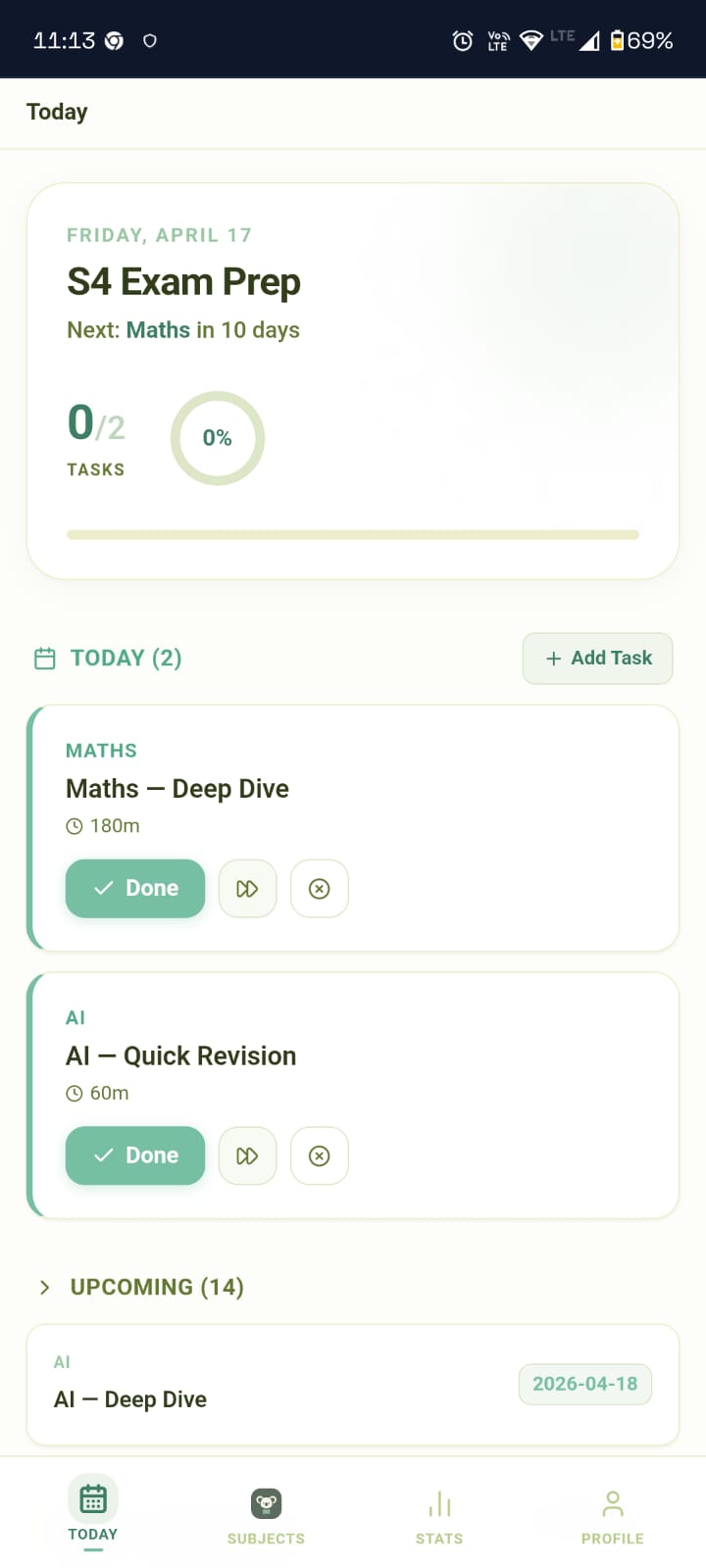
Daily Execution Tracker
Product Features
A. Dashboard (The High-Intensity Hub)
- Focus Mode: Dynamically isolates the "Immediate Task" and the "Output Peak" block.
- Readiness Scoring: Visual percentage representing global syllabus completion.
- Strategic Warnings:
- Countdown: Days remaining until the next exam.
- Critical Subjects: Auto-identifies subjects with "Make or Break" priority.
B. Daily Mission Checklist
- Atomic Operations: Support for
Complete(verify),Push(defer to next cycle), andSkip(archive). - Execution State: Tasks transition from high-contrast Clay cards to low-opacity "Victory" states upon completion.
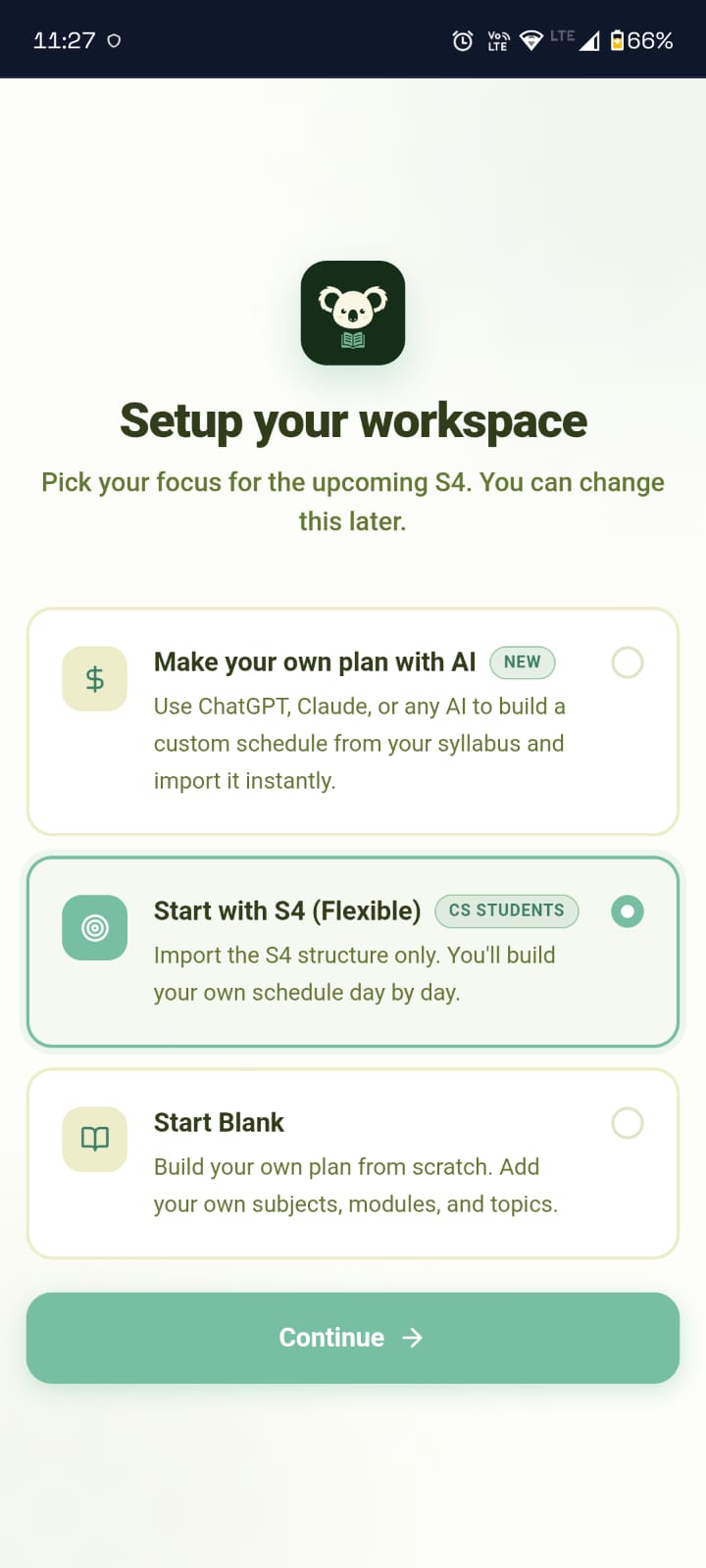
Step-by-Step Onboarding
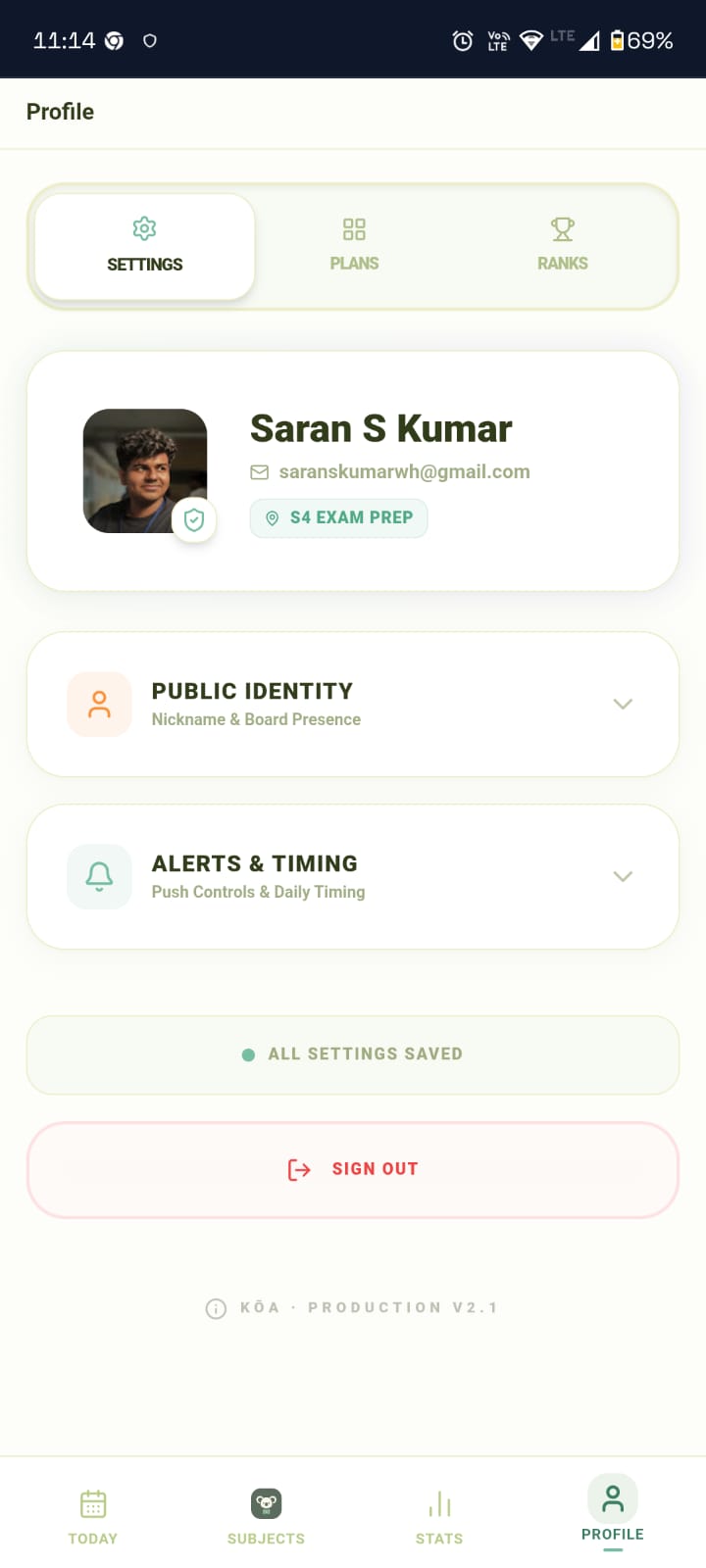
Student Profile & Performance
Technical Architecture
Tech Stack
- Frontend: React 19, Vite 7, Tailwind CSS v3.
- State Management: Zustand (Client) + TanStack Query v5 (Server).
- Backend: Supabase Auth + PostgreSQL 15 + RLS.
- Automation:
pg_cronscheduling Deno Edge Functions for serverless Web Push notifications (Morning 7 AM, Evening 8 PM).
S4 Command Center: Workflow & Logic
The Application provides an instant onboarding experience through two paths:
- Seeded Ecosystem: Clones the global S4 template (Maths, AI, OS, DBMS, ADSA, Economics) using PostgreSQL RPCs (
apply_s4_seed). - Total Control: Allows creating a manual study planner for scholars outside the S4 constraints.
Core Architecture Decisions
- Single-Template Focus: Hardcoded UX around the "S4 Exam Prep" to simplify the value loop.
- Module-Grouped Hierarchy: Restored the Module layer in
SubjectDetailView.jsxto keep 100+ topic engineering syllabi readable. - Execution-First Logic: Shifted from analysis-heavy views to a "Today View" home screen focus.
API Contracts (Table Definitions)
plans: User workspaces.subjects: Associated with a specific plan (Subject → Exam Date → Priority).topics: Linked directly to subjects/modules with status (todo,done,mastered).study_plan: The primary source for the "Daily Mission" checklist.
"Start small, finish big."